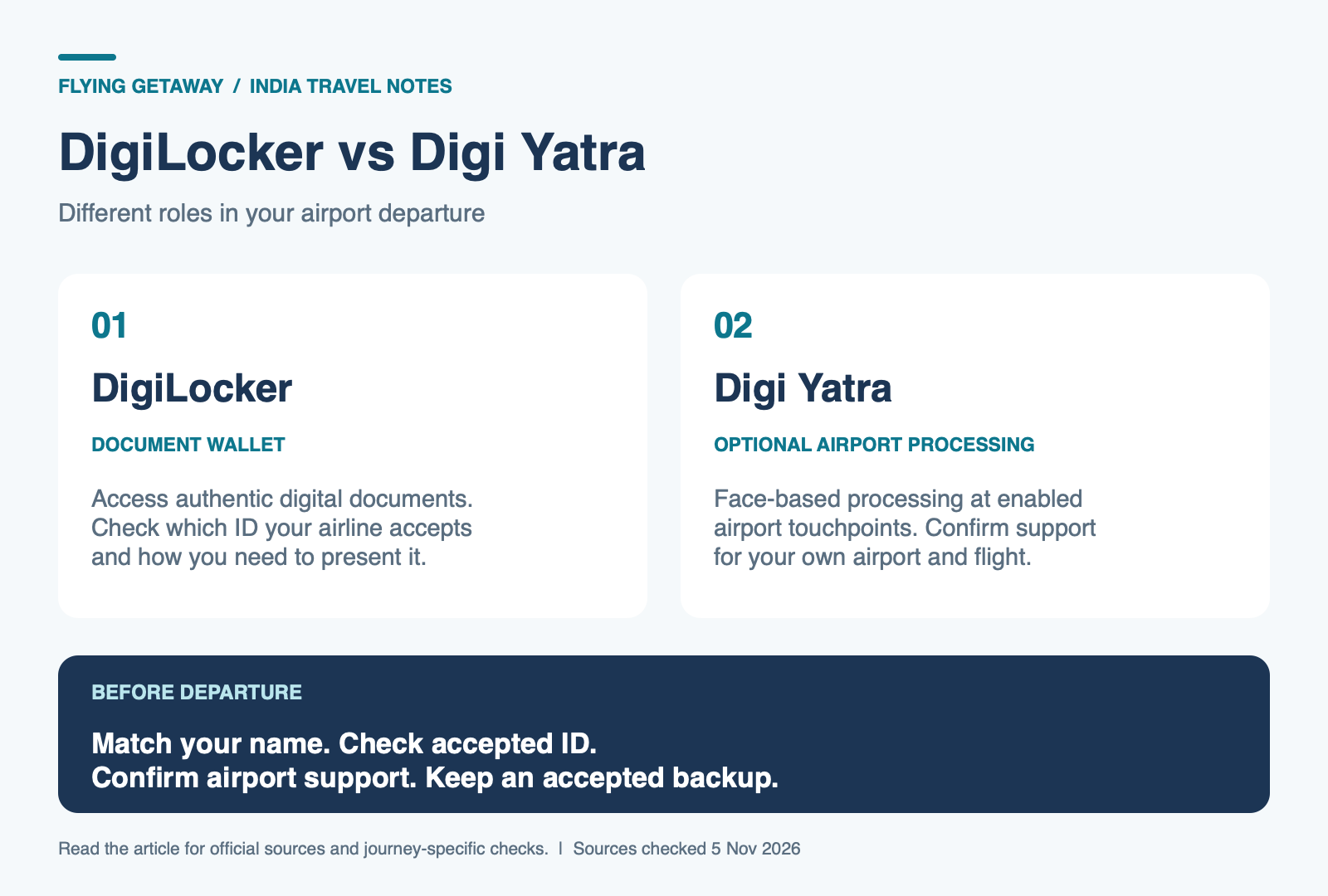
DigiLocker and Digi Yatra have similar names, but solve different parts of a departure. DigiLocker helps you access and present digital documents. Digi Yatra supports face-based processing at enabled airport touchpoints. Neither name, by itself, tells you whether you have met the document requirements for your trip.
For a domestic departure in India, prepare your ticket or boarding pass, check the identity document accepted for your circumstances, and decide whether to use the optional Digi Yatra process where available. Start with your own airline and departure airport, rather than another traveller’s experience.
What DigiLocker does
DigiLocker is a Ministry of Electronics and IT initiative for access to authentic digital documents and their storage, sharing and verification. Think of it as a document wallet, rather than an airline check-in service.
Before departure, check that the identity document you intend to use is available in your account and that you can open it. Air India’s document guidance includes DigiLocker acceptance for airports in India. Apply your own airline’s guidance to your journey, particularly for children or a special documentation case.
What Digi Yatra does
The Ministry of Civil Aviation describes Digi Yatra as a facial-recognition boarding initiative and states that the process is voluntary. See its official explanation of Digi Yatra. Using a digital document wallet and opting into biometric processing are different decisions.
Check whether your airport, terminal, airline and flight are supported, and follow the current app and airport instructions. If you choose not to use the service, ask for the conventional document-check route. A supported process can still require staff assistance or additional checks; do not use an app as a reason to arrive late.
Domestic identity checks: start with the actual guidance
CISF’s current air travel tips tell passengers to carry valid ID and state that a photocopy is not acceptable for airport entry. That statement should not be read as a rejection of recognised digital-document services: Air India separately describes DigiLocker acceptance in its document guidance.
Air India lists accepted domestic identification, including a passport, voter ID, Aadhaar, PAN card and driving licence, and requires the booking name to match the ID presented. This is a reference to that airline’s guidance, not an exhaustive rule for every traveller. Confirm the applicable list, format and any child or special-case requirement with your airline before departure.
Do not assume that a gallery image, scan, screenshot or forwarded file has the same standing as the digital document described by an official service. If the precise format you intend to show is unclear, confirm it with the airline or airport and arrange an accepted alternative. This guide does not claim that every type of screenshot is always accepted or always rejected.
A short comparison
| Question | DigiLocker | Digi Yatra |
|---|---|---|
| Main role | Access to authentic digital documents | Face-based processing at enabled airport touchpoints |
| What to check | Accepted document and how to present it | Supported journey and current enrolment instructions |
| Does it replace airline check-in? | Do not treat document access as check-in | Complete the airline’s required check-in process |
| If you cannot use it | Arrange an accepted document alternative | Ask staff for the conventional document-check route |
Before you leave for the airport
- Check the passenger name against the document you will present. Resolve a mismatch with the seller or airline before travel.
- Open your intended document and boarding pass while you still have time to fix an access problem.
- If you want Digi Yatra, confirm support for your departure and complete the current required steps in advance.
- Keep a charged phone and arrange an accepted backup document or access route. Do not rely on an unverified screenshot.
- For children, assistance needs or an unusual document situation, obtain the applicable instructions from the airline.
- Keep your check-in, baggage-drop and boarding deadlines in view. Digital processing does not change a deadline unless the airline says so.
What changed for international travel in November 2026?
Domestic guidance should not be stretched into a universal statement about international departures. In its 1 November 2026 release, the Ministry announced a November–December trial for eligible Indian e-passport holders on selected Air India and IndiGo international services at seven airports.
That is a limited trial, not a promise of access on any international ticket. The Ministry says travellers must still carry their travel documents and complete airline document checks, immigration and other required formalities. Check eligibility for the exact journey; a planned wider rollout in 2027 does not establish current access.
If a document or gate does not work
Ask the airline or airport staff for help and the applicable manual process. Explain whether the problem is opening an identity document, completing airline check-in or using a Digi Yatra touchpoint. These are different problems and may need different assistance.
If you are planning a journey and want to discuss flight options, request a callback from Flying Getaway. We are an independent travel agency; we do not issue government ID, enrol you into these services or guarantee airport entry.
Official sources and review date
MoCA: Digi Yatra biometric boarding and voluntary use
MoCA: Digi Yatra Begins International Passenger Trials at Seven Airports
Sources checked on 5 November 2026. Recheck changing airport, flight and eligibility information before travel. No identification numbers, screenshots of real accounts or personal boarding passes are used in the illustration.